> For the complete documentation index, see [llms.txt](https://shipping-protection-app.shop-wil.com/llms.txt). Markdown versions of documentation pages are available by appending `.md` to page URLs; this page is available as [Markdown](https://shipping-protection-app.shop-wil.com/avoid-unnecessary-shipping-protection-charges-for-pick-up-orders.md).
# Avoid Unnecessary Shipping Protection Charges for Pick-Up Orders
To avoid unnecessary shipping protection charges for issues that occur during customer pick-up, we recommend enabling the Pick Up exclusion feature
### **How It Works**
Our app automatically:
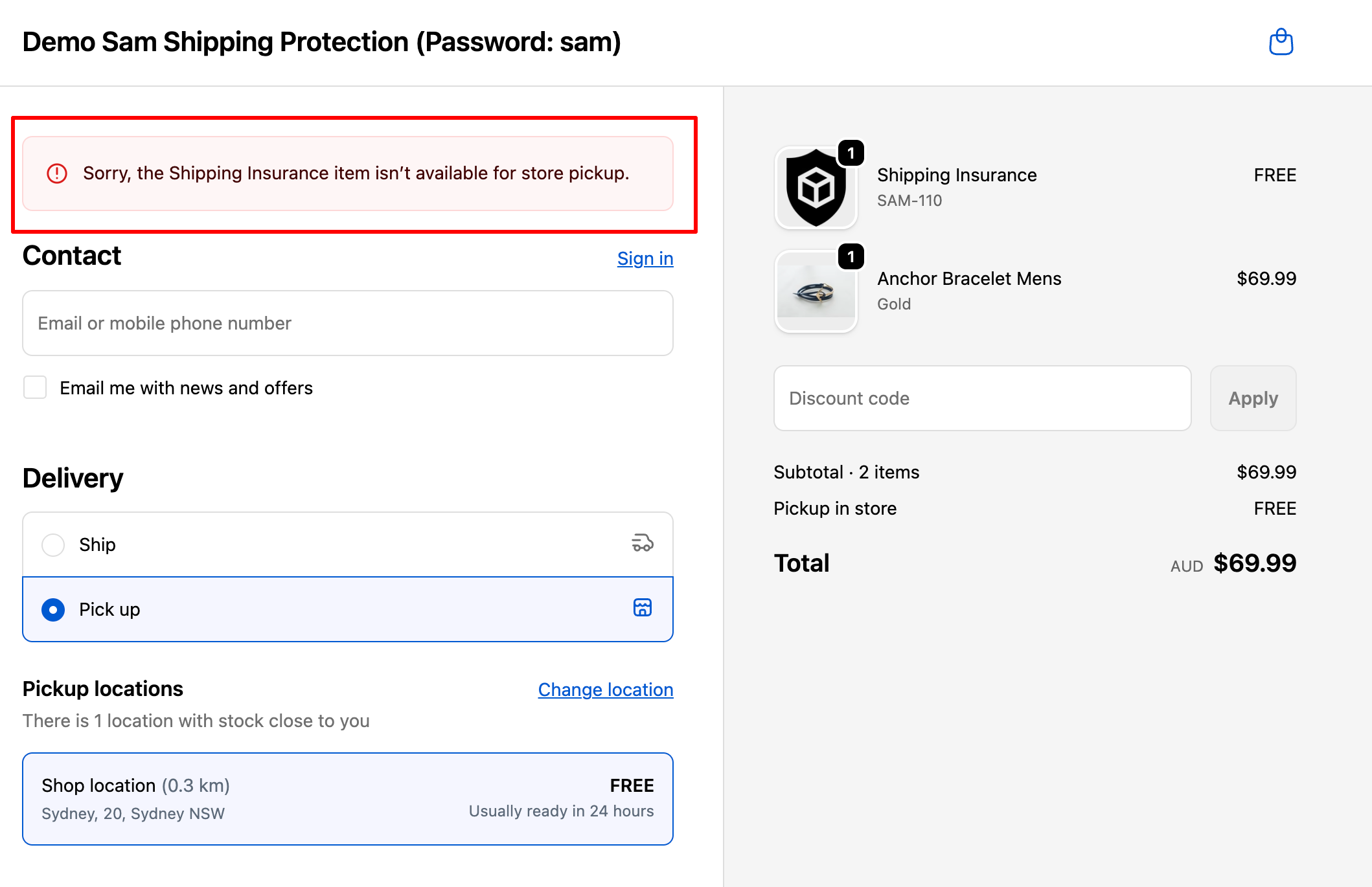
* Displays a **warning message** at checkout to inform customers that *shipping protection does not apply when they choose to pick up their order in-store*.
* **Prevents checkout completion** if the customer still has shipping protection in their cart while selecting the “Pick up” option.
This helps maintain transparency with your customers and prevents you from covering costs unrelated to actual shipping.
***
### **How to Set It Up**
Please follow the steps below to enable the feature:
**Step 1: Go to** your **Shopify Admin → Settings → Checkout → Checkout rules -> Add rule**
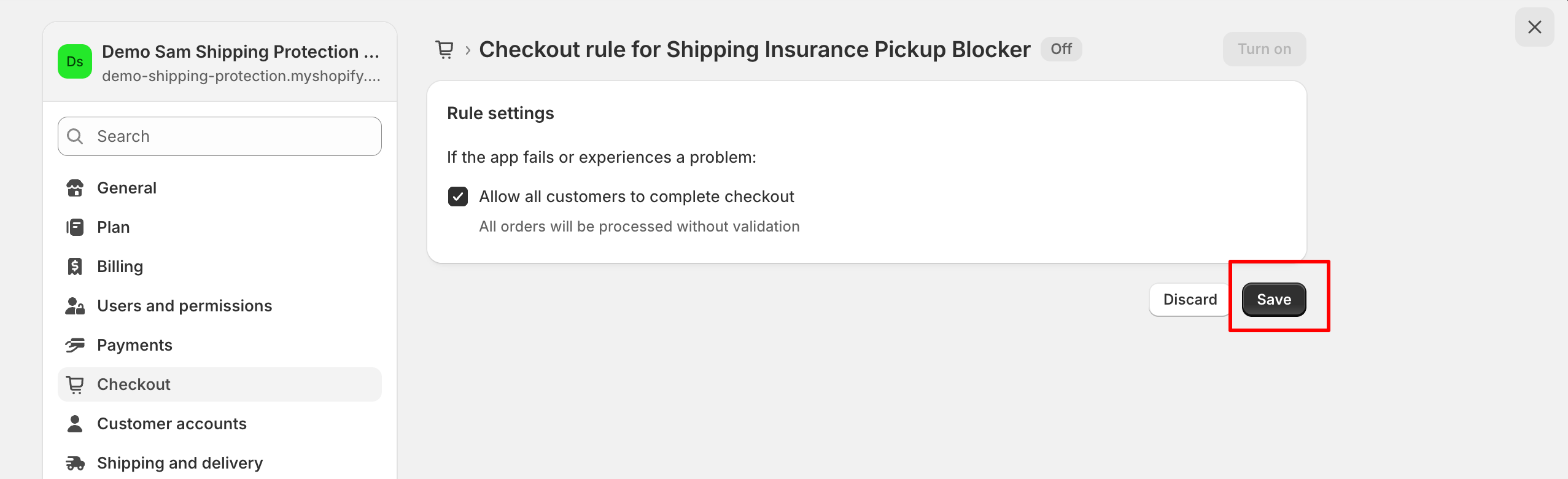
**Step 2: Select** the rule **“Shipping Insurance Pickup Blocker”**
**Step 3: Save** your settings to complete the setup
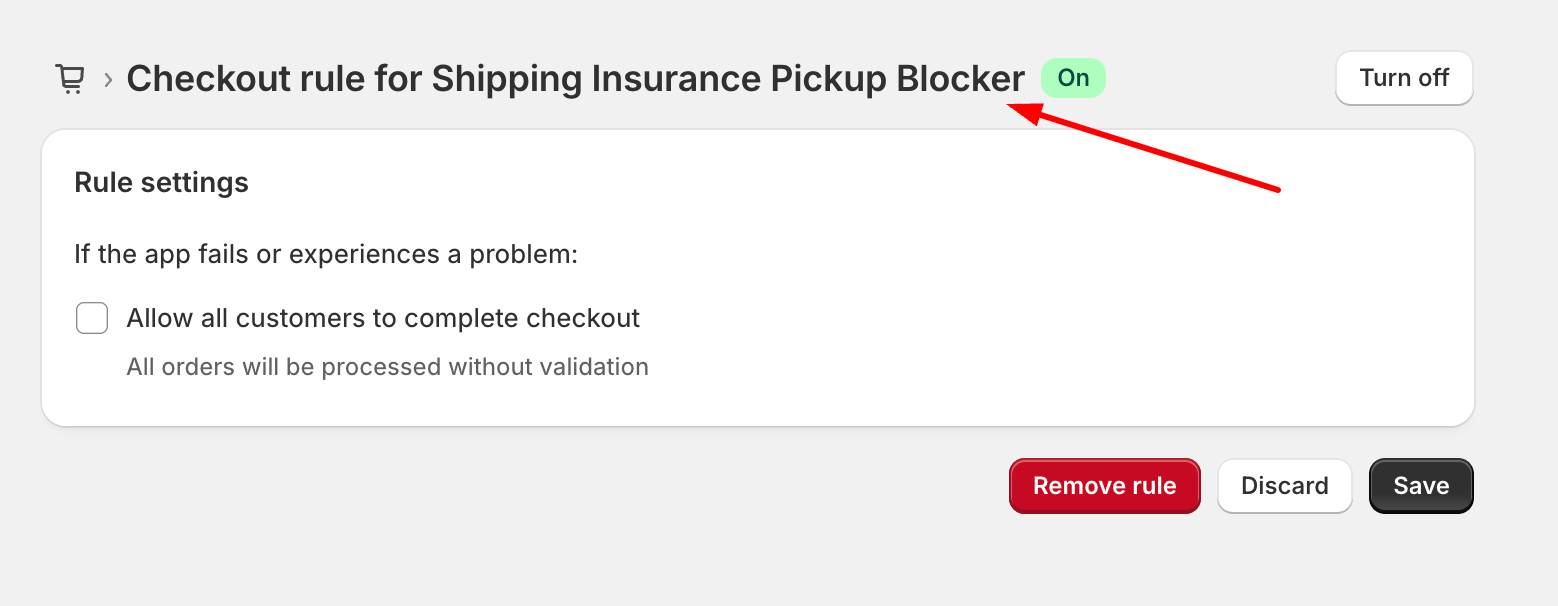
**Step 4: Enabled** the Checkout rule for **Shipping Insurance Pickup Blocker**
**Step 5: Save and Test** the feature on your storefront:
* Try placing a test order using the **Pick up** option
* You should see the warning message appear, and checkout will be blocked until the customer removes the shipping protection from the cart
***
### **Need Help?**
If you encounter any issues during setup, please [**message us directly**](https://go.crisp.chat/chat/embed/?website_id=1dc48f94-5e00-41cc-bbf5-0f11ab481983).\
Our support team will gladly assist you to ensure the feature is installed correctly and working smoothly